When to upgrade to Unity 6.
A Unity 6 upgrade moves your project to a supported Unity 6 version and, if you publish on Google Play, to the API level the store requires. It makes sense when your Unity version runs out of support or when Google Play stops accepting your updates. It is part of our Unity game development service.
According to Unity, Unity 6.0 LTS is supported until October 2026, a date that has now passed, and Unity 6.3 LTS until December 2027. Starting 31 August 2026, Google Play requires new apps and app updates to target Android 16, API level 36. If you are on Unity 6.0 LTS or older, your engine version is out of standard support today. And whatever version you use, your next Google Play update must target API level 36.
Unity has also deprecated the Built-In Render Pipeline from Unity 6.5. If your project uses it, you need to decide when to move to URP.
What the upgrade includes.
OverFuture is the software studio of Aitor Román Ibáñez in Zaragoza, Spain. Aitor holds a Unity qualification and we have published more than 40 games and apps since 2013.
Project review
Source version, packages, SDKs, plug-ins and the heaviest scenes.
Version change
We open the project in Unity 6 on a separate branch and fix the compile errors.
Obsolete code
We run the API Updater and fix by hand what it cannot.
Render pipeline
We keep the current one or move to URP, whichever suits your game.
Google Play requirements
Target API level, ads or analytics SDKs and a signed build.
Play testing
We play the game on each platform; a build that compiles is not enough.
Projects we have upgraded, or are upgrading, to Unity 6.
| Project | Starting point | Target | What we did |
|---|---|---|---|
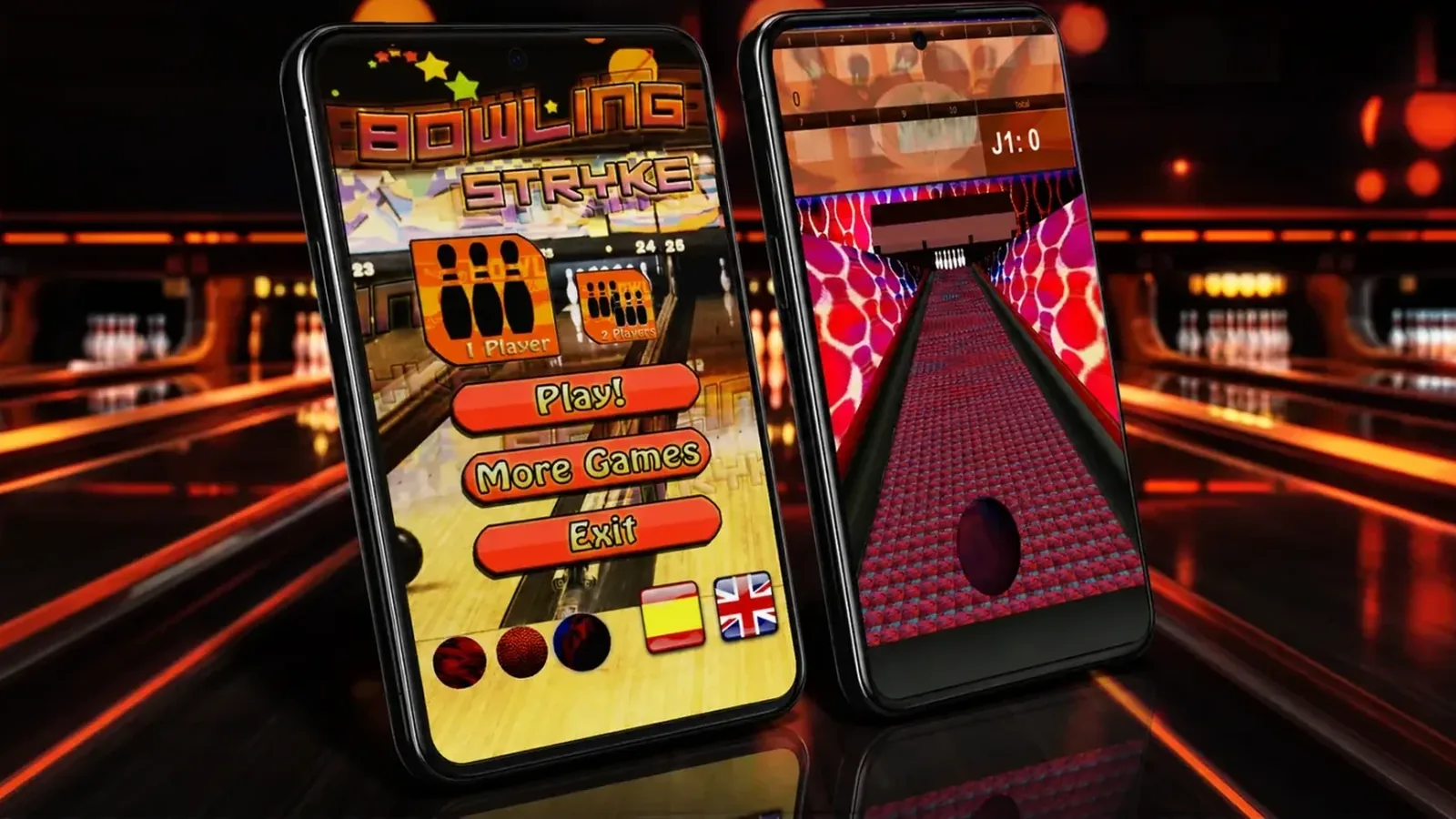
| Bowling Stryke, a bowling game with more than one million downloads | App version 4.0.1 | Unity 6 (6000.3.24f1), version 5 being prepared for Google Play | Fixed the physics (the pins fell over on their own) and added tests that actually bowl the ball |
| La Pirámide Mental, an educational web game by Rivendel Formación | Existing project in Unity 2021.3 | Unity 6.2, for WebGL | Adaptation and new progression: we took over the project and upgraded it |
| Wondy World, a 2D platformer | Version released on Google Play in 2014 | Unity 6, in July 2026 | In-house tools that check the interface and the Android build (its level editor) |
| Fight Fantasy, GameInvest audience award at Gamepolis 2015 (Málaga) | RPG from 2015–2016 | Unity 6, in progress | We are bringing it back in Unity 6 (its architecture) |
Unity 6 upgrade checklist.
These are the steps we follow in every upgrade, with links to Unity and Google Play. Checklist reviewed on 11 November 2026.
- Backup and version control. A full copy and a separate branch before opening the project. The API Updater manual asks you to close the Editor and back up first.
- Source version. Note the exact version in
ProjectVersion.txt. If it is very old, we upgrade in stages and test at each one. - Target version. Pick a version that is still supported, normally an LTS, on Unity’s release page. Unity releases one LTS a year and supports it for two years.
- Packages and SDKs. List the packages and third-party SDKs, such as ads and analytics. The Unity 6 upgrade guide asks you to check that their providers have updated them.
- Render pipeline. According to the Unity 6.5 upgrade guide, the Built-In pipeline is deprecated but remains supported through the full Unity 6.7 LTS lifecycle. Moving to URP with the Render Pipeline Converter cannot be undone, so it always goes with a backup.
- Obsolete APIs. The API Updater only fixes some errors and warnings. For example,
FindObjectsOfTypebecomesFindObjectsByType. - Lighting. Unity 6 no longer bakes with Enlighten, so scenes that used it are baked again and checked.
- Google Play. Target API level 36 to publish updates. Existing apps must target API level 35 or higher to remain available to new users on newer Android versions. See the Play Console Help page.
- Tests per platform. A clean build is not enough. Bowling Stryke compiled and its tests passed, yet the pins fell over on their own.
- Release with a rollback plan. Start with a closed testing track on Google Play, and keep the previous build so you can roll back.
How we run an upgrade.
We start with a meeting at our office in Zaragoza, Spain, or by video call, and the quote is free. We review the project, work through the open questions one at a time and start once the contract and quote are signed. We work remotely on your repository.
We know Unity 6 from the inside: our Editor extension for Unity 6.3 LTS, Easy Chapter Generator, has been on the Unity Asset Store since 25 September 2026. If you want to add developers to an existing game, see hire Unity developers.
Frequently asked questions.
It depends on the size, the source version, the packages and the platforms. We review the project first and the quote is free. Each phase then has its own fixed quote, and we reply to quote requests within one working day.
We don’t give a timeline before reviewing the project. It depends on how old the source version is, how many SDKs it uses and whether the render pipeline changes. After the review, the quote sets a timeline for each phase.
Not always. To publish an update on Google Play you must target API level 36. In the review we check whether your current Unity version can do that or whether a supported LTS is the better route.
Yes. On La Pirámide Mental, by Rivendel Formación, we did the adaptation and new progression of an existing educational web game. We took over the project and upgraded it from Unity 2021.3 to Unity 6.2.
Not always. The Built-In pipeline is deprecated from Unity 6.5 but stays supported through the full Unity 6.7 LTS lifecycle. We decide with you, based on the game and its platforms.
No. We explain each change in plain English and you check the test builds on your own device.
During the first year after delivery we fix, at no cost, any defects that originate in our own development. Later updates are included in the maintenance plan, if you take one out.
In most projects the contract makes you the owner of everything we develop. The source code is delivered if the contract says so.
Related projects.
Real work by OverFuture and its founder on this topic. The project pages are in Spanish.