Easy Chapter Generator grew out of a problem we see in many Unity projects. Tutorials, quests, escape rooms and training sessions move in a straight line, yet their progression is scattered across scripts. We turned the fix into an Editor tool and published it on the Unity Asset Store.
This article explains how we built it and what we decided along the way. What the tool does, with a simulator you can try, is on the Easy Chapter Generator product page. The project summary is on its project page (in Spanish).
The problem: progression scattered across scripts.
When every door, button and line of dialogue decides on its own what comes next, nobody knows which step the player is on. One objective completes too early, another is counted twice and, after a scene change, the game starts again from the beginning.
We wanted one single place that could answer two questions at any moment. Which chapter is active, and which objective is current?
Handling progression and nothing else.
The first decision was what the tool would not do. It does not replace the game’s dialogue, inventory, movement or saving.
A ChapterManager picks the chapter, and each chapter holds its objectives in order. Scene components, UnityEvents or the project’s own code detect what happens and ask for the objective to be completed.
That boundary is what lets you add it to an existing game without rebuilding it.
A deterministic flow and an API that says no.
The first objective that can start is activated. When it is completed, skipped or failed, only the next one starts.
Code can only complete the active objective, using its exact ID. If the ID differs by one character, or the objective is not the current one, the call returns false and nothing happens. Repeated requests are ignored.
Failure is explicit too. The game calls the failure API, the tool raises events and the project decides what to do next. It never reloads scenes on its own.
A useful test: ask to complete the same objective twice, and then one that is not active yet. If the chapter moves forward only once and no step is skipped, the flow is reliable.
An Editor window built for designers.
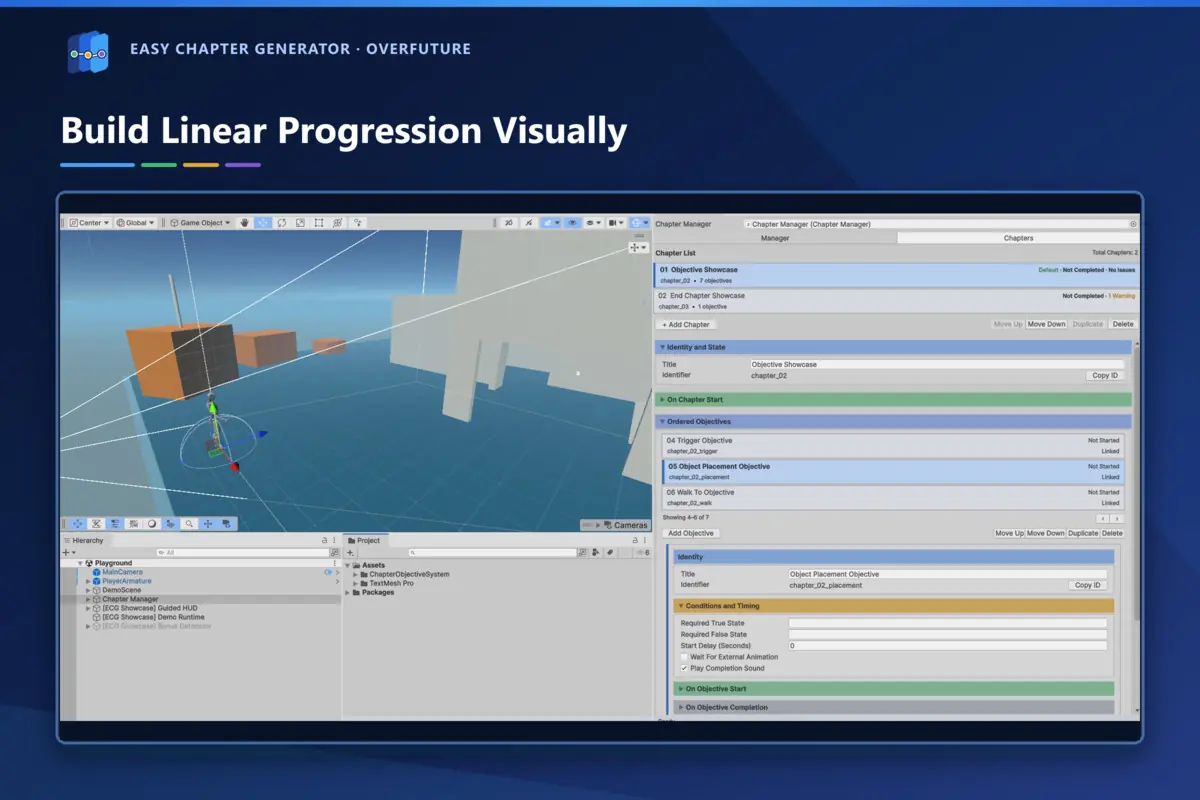
Almost all of the progression is set up from the chapters and objectives window. You create and order objectives, set conditions and delays, switch objects on when a step starts or ends, and fire UnityEvents. Everything supports Undo/Redo.
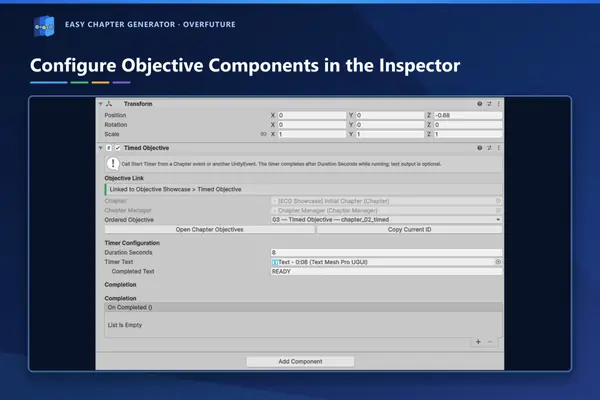
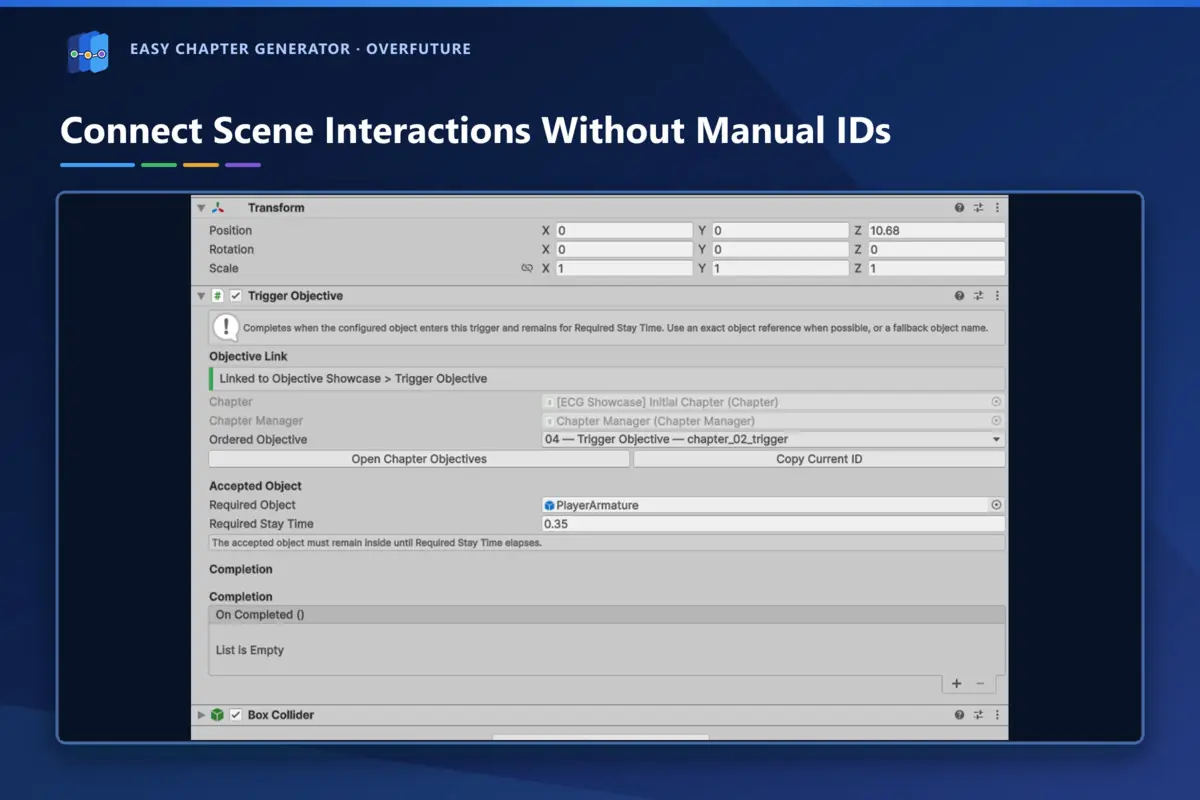
Linking a scene object to its objective needs no typed IDs. The component’s inspector has an assisted picker for the chapter and the objective.
Checking the set-up before Play Mode.
Most bugs in a sequence come from configuration. An empty or duplicated ID, two detectors for the same objective, a component tied to the wrong chapter or a transition with no target scene. The validator sorts them into errors and warnings and takes you to the exact object.
A green validation does not run the physics or the game’s code, so the final test still happens in Play Mode. But you reach it without the mistakes that could have been caught earlier.
Saving just enough between scenes.
Persistence is deliberately light. It saves completed objectives and chapters, named states and a one-off flag for moving to another scene. By default it uses PlayerPrefs, and an interface lets you swap in the game’s own storage.
That one-off flag is what prevents a restart from scratch. The target scene reads it, checks that the chapter exists, clears it and continues from the configured point.
Documentation, demo and trailer.
A tool for other developers is judged by how quickly it makes sense. That is why it shipped with full documentation in Spanish and English, inside the package and on the online documentation site. It also includes a playable demo for the Built-in Render Pipeline and a trailer in both languages.
During development we used ChatGPT and Codex as assistants for code review, automated tests and documentation.
Every line of code, every tool and every text was then reviewed and tested in the real Unity project, and the store listing says so.
The release on the Unity Asset Store.
Version 1.0.0 went live on 25 September 2026 as an Editor extension for Unity 6.3 LTS (6000.3.20). The package weighs 69.6 MB and holds 281 assets. The core uses no API tied to a specific render pipeline, and the demo is built for Built-in, as the listing states.
You can see it on the Unity Asset Store. If you need a tool for your team or a progression system for your game, we build it to order from Zaragoza. That is what our Unity development service is for.